Why Google Rewrites Meta Titles?
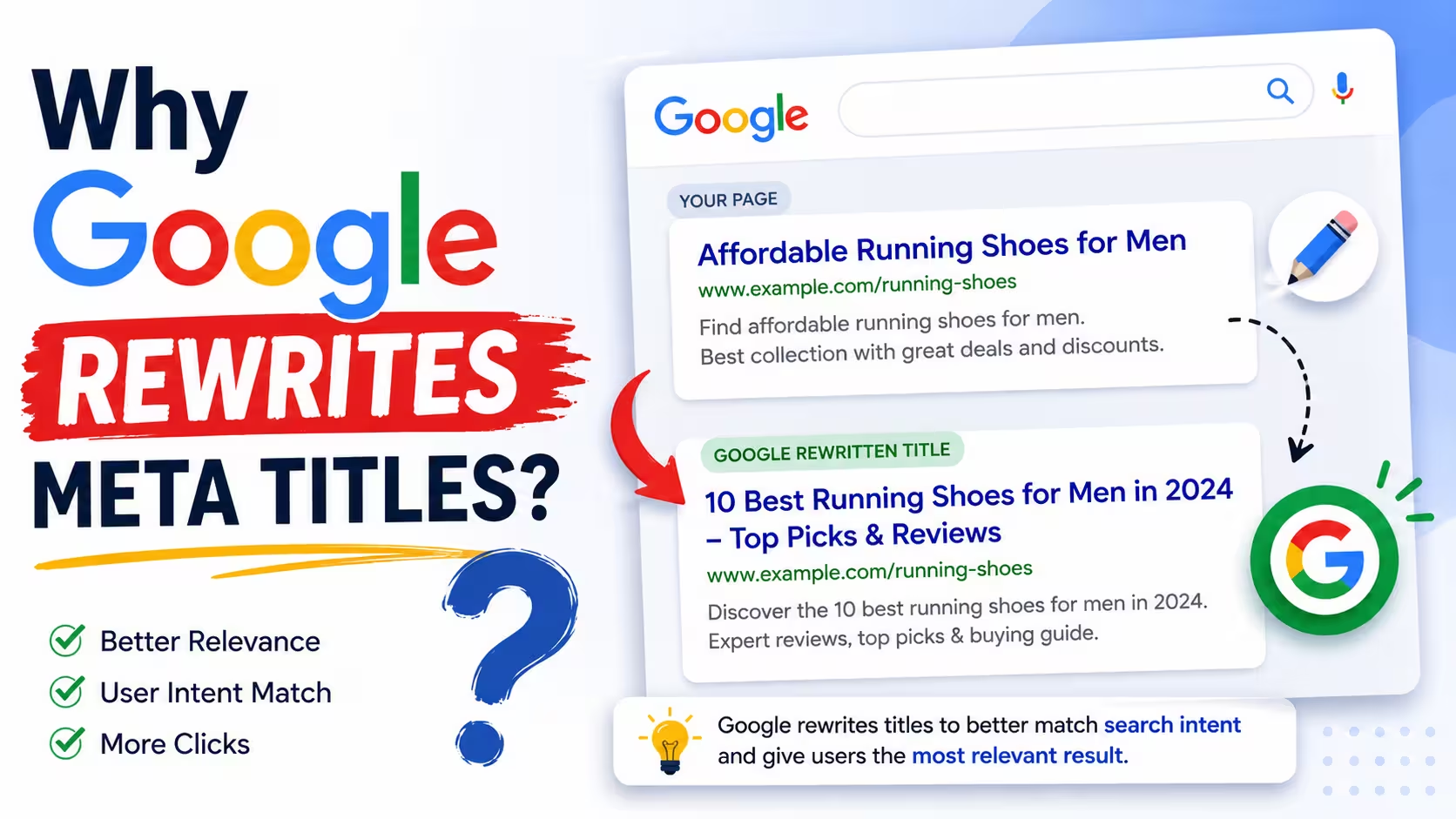
Google rewrites a meta title when its automated system judges your <title> tag too long, too short, keyword-stuffed, vague, or a poor match for the page's content or the search query. It swaps in text from your H1, headings, prominent on-page copy, or inbound anchor links — though your original tag still counts for ranking.
That single behavior now affects most pages on the web. A 2025 study of Google search results found it rewrote 76% of title tags — up from roughly 61% just two years earlier (Search Engine Land). If you've ever published a carefully written title only to see something else on the results page, you're not imagining it. This guide breaks down exactly why it happens, backed by the actual data, and what you can do to keep more of your titles intact.
Key Takeaways
- Google now rewrites the majority of title tags — 76% as of the most recent 2025 study, up from 61–63% a few years earlier.
- Rewrites are triggered by length problems, keyword stuffing, inaccurate or boilerplate titles, unclear headings, and brand names crowding out content.
- A rewritten display title does not change your ranking — your real <title> tag still does that job.
- Titles around 50–60 characters, with one clear, unique focus, survive unchanged far more often.
- 2026 adds a new variable: Google is now testing fully AI-generated headlines in standard Search, not just recycled on-page text.
Title Tag vs. Title Link: Get This Straight First
These two terms get mixed up constantly, and the mix-up causes a lot of unnecessary panic.
- Title tag — the <title> element in your page's HTML. You write it. It still gets used for ranking and understanding your page, even when Google displays something else.
- Title link — the blue, clickable headline Google actually shows on the results page. Google's official documentation now uses this exact term to separate the display text from your underlying HTML (Google Search Central).
So when people say "Google rewrote my title," they mean the title link — not your ranking signal. That distinction matters for everything below.
How Often Does Google Rewrite Title Tags? (The Data)
Three independent studies, run three different years, tell a consistent — and worsening — story:
| Study | Year | Sample Size | Rewrite Rate |
| Cyrus Shepard / Zyppy | 2022 | 80,959 titles across 2,370 sites | 61.60% |
| Portent | 2022 | 1.47M URLs / 32,000 keywords | 63% |
| John McAlpin / Search Engine Land | Q1 2025 | ~30,000 keywords, top 20 results | 76.04% |
A few extra data points worth knowing:
- Length is the strongest predictor of a rewrite. Zyppy found titles of 1–5 characters got rewritten 96.6% of the time, and titles over 70 characters got rewritten 99.9% of the time — the safest range sat at 51–60 characters, where rewrite rates dropped to roughly 39–42% (Zyppy).
- When Google does rewrite a title, it isn't gentle about it. The 2025 study found that changed titles kept only about 35% of the original wording, and brand names were dropped in 63% of rewritten titles (Search Engine Land).
Why does this contradict Google's own numbers? Google's public liaison, Danny Sullivan, said in 2021 that the system would keep original HTML titles more than 80% of the time, later raised to 87% after feedback (Search Engine Journal). The likely explanation: Google may count a title as "kept" even with a minor truncation or an added brand suffix, while independent studies count any deviation — even one word — as a rewrite. Both numbers can be true at once; they're just measuring different thresholds.
Why Does Google Rewrite Meta Titles? 7 Real Triggers
Google's own developer documentation lists the specific page issues that push its system to generate a replacement title (Google Search Central). Combined with the 2025 data study, here's what actually triggers a rewrite.
1. Your title is too long or too short
Extremely short titles ("Home," "Products") give Google nothing to work with. Extremely long ones get truncated or dropped in favor of something more concise. This single factor drove roughly 8% of all rewrites in the 2025 study (Search Engine Land).
2. Your title is stuffed with keywords
Repeating the same phrase in different orders ("Plumber Toronto, Toronto Plumbers, Best Plumber in Toronto") doesn't help users, and Google's systems are built to detect and flag it as spam-adjacent.
3. Your title doesn't match your content
If your <title> describes something broader or narrower than what's actually on the page, Google treats it as inaccurate and pulls a better-fitting alternative from your headings or body text.
4. Your title is boilerplate or duplicated across pages
Using the same templated title format across dozens of pages — with only one small detail changed — makes it hard for Google (and users) to tell pages apart. Google calls this "micro-boilerplate" and actively rewrites it to insert the missing distinguishing detail.
5. There's no single clear main heading
If a page has two headings competing for visual prominence, Google can't confidently tell which one is the "real" title, so it picks one for you — usually the first <h1> it finds.
6. Your brand name is taking up space
This is the single most common change: Google strips brand names from 63% of the titles it rewrites, especially when the query has no brand intent and space is tight (Search Engine Land).
7. A different phrasing fits the query better
About 30% of rewrites are pure clarity edits — Google rephrasing a vague statement into something closer to how a searcher would ask the question, especially for informational content (Search Engine Land).
Other smaller triggers: stale, outdated titles that weren't updated alongside page content; a title written in a different language or script than the page itself; and titles that repeat a site name already shown elsewhere on the results page (Google Search Central).
Where Google Pulls Replacement Titles From
When Google decides to override your <title>, it isn't guessing randomly. Its documentation lists nine specific sources it draws from, in no particular ranked order (Google Search Central):
- Content in <title> elements
- The main visual title shown on the page
- Heading elements, such as <h1>
- Content in og:title meta tags
- Other large, visually prominent styled text
- Other text elsewhere on the page
- Anchor text on the page
- Text within links that point to the page
- WebSite structured data
This is why a strong, visually clear <h1> and a properly filled-out og:title tag both act as backup insurance — even if your <title> gets overruled, you still influence what replaces it.
The 2026 Twist: Google Is Now Testing AI-Written Headlines
Everything above describes Google's rule-based rewriting system, live since August 2021 (Search Engine Journal). In March 2026, Google confirmed to The Verge that it's testing something different: fully AI-generated title links in standard search results, not just text lifted from your page (Search Engine Roundtable). Google described it as a "small" and "narrow" test, currently concentrated on news sites but not limited to them.
Worth watching: a similar AI-headline test in Google Discover started as a small experiment in December 2025 and was rolled out as a standard feature by January 2026 — about a month later. Whether Search follows the same timeline is unconfirmed, but the precedent exists.
This matters more than it might seem, because the title link is becoming a scarcer, higher-stakes asset. Pew Research Center tracked the actual browsing behavior of 900 US adults in March 2025 and found people clicked a normal search result about 8% of the time when an AI-generated summary appeared on the page, versus 15% when it didn't — and 58% of people ran into at least one AI summary that month (Pew Research Center). As AI features absorb more clicks, the title link is one of the few remaining levers you have left to earn one.
How to Stop Google From Rewriting Your Title Tag
You can't fully opt out — Google offers no toggle for this. But you can make your title the obvious best choice, which is what its own guidance and the 2025 data both point to:
- Aim for 50–60 characters. This maps to roughly 600 pixels on desktop and 480–520 pixels on mobile, the practical cutoff before truncation (Search Engine Land). Titles under ~30 characters and over ~70 characters get rewritten at the highest rates.
- Write one title per page, in full. No shared templates, no "[Category] – [Brand]" boilerplate repeated 40 times across a site.
- Front-load the specific, unique part. Put the thing that makes this page different in the first 1–2 words — brand suffixes are the first thing Google trims when space is tight.
- Match your <title> and <h1> in substance, not necessarily wording. They don't need to be identical, but they shouldn't argue with each other.
- Skip the keyword repetition. One clear phrase beats three variations of the same phrase.
- Write for the query type. Commercial pages can keep exact-match keywords; informational pages perform better with clear, natural phrasing over rigid keyword placement (Search Engine Land).
- Keep dated or seasonal titles current. An unupdated year or season in your title is a common, avoidable trigger.
- Audit regularly. Google won't notify you of a rewrite. Search your target query in an incognito window, or crawl your site with a tool like Screaming Frog and compare it against live SERP titles.
Frequently Asked Questions
No. Ranking still relies on your original <title> tag. A rewritten title link changes what users see, which can affect click-through rate — not your position in the results.
Not directly — there's no override setting. Following the best practices above (clear, accurate, uniquely worded, right-sized) makes Google far more likely to keep your version as-is.
Roughly 50–60 characters, staying under about 600 pixels on desktop. There's no official hard character limit — Google measures rendered pixel width, not character count.
Yes. It still feeds Google's replacement system, it shows in browser tabs, bookmarks, and social shares, and Google confirms it still uses your original tag to understand and rank the page.
Search your page's target keyword in an incognito browser window and compare the result against your actual HTML <title>, or run a site crawl and cross-reference it with live SERP data.
Yes. The 2021 system swaps in text that already exists somewhere on your page. The 2026 test reportedly generates new phrasing that may not appear verbatim on the page at all.