What Is Robots.txt? The Definitive Guide
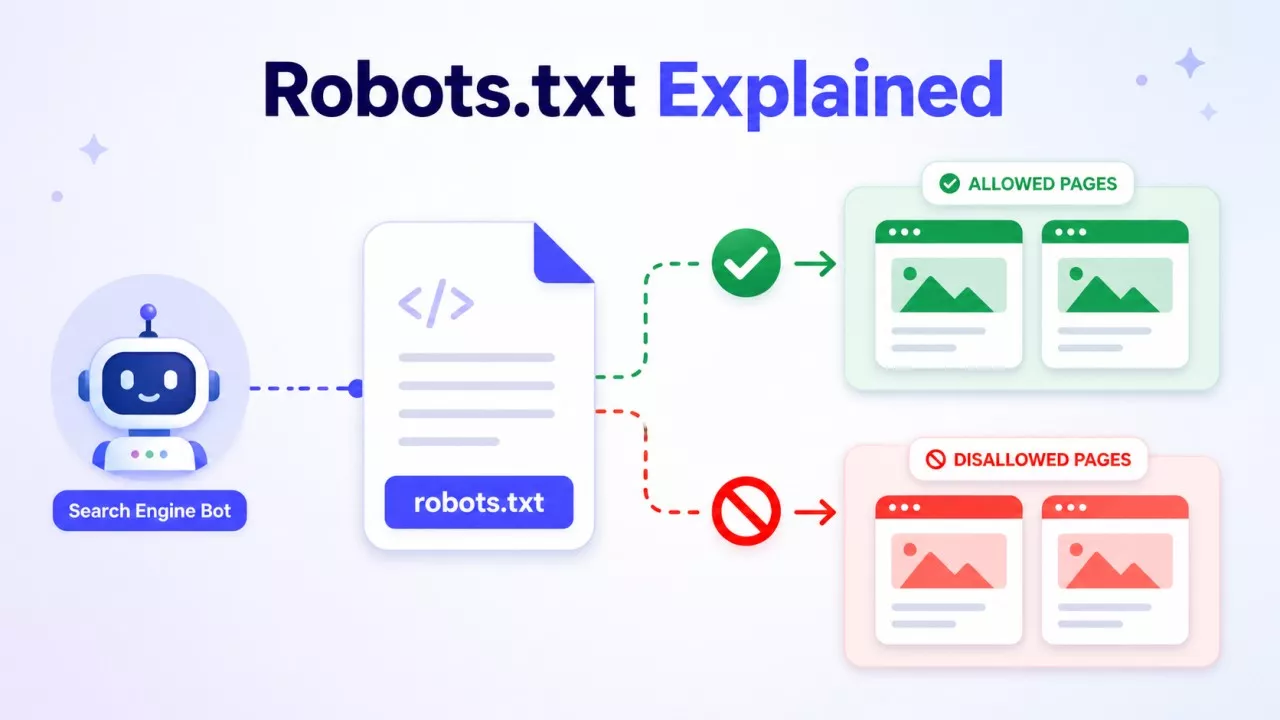
A robots.txt file is a simple text file that tells web crawlers which parts of your site they can and cannot visit. It sits at the root of your domain — like yourdomain.com/robots.txt — and every major search engine knows to look for it there. Think of it as a short instruction note left at the front door for bots.
What robots.txt Actually Does?
When a crawler like Googlebot arrives at your site, it checks your robots.txt file before doing anything else. The file tells it where to go and where to stay out.
You write rules using two main commands:
-
Disallow — blocks a crawler from a specific path
-
Allow — explicitly permits access to a path, even inside a blocked section
Here's a basic example:
User-agent: *
Disallow: /admin/
Disallow: /private/
Allow: /public/
User-agent: * means the rule applies to all crawlers. You can also target specific bots by name, like Googlebot or Bingbot.
The file lives in plain text. No HTML, no code. Anyone can read it — including people. Just visit yourdomain.com/robots.txt in your browser, and you'll see it directly.
Why robots.txt exists?
The original purpose was to stop crawlers from hammering a server with too many requests. According to Google Search Central, robots.txt is used mainly to avoid overloading your site with requests — not primarily as an SEO tool.
That framing matters. A lot of people treat robots.txt as a ranking lever. It isn't. It controls crawl access, not indexing decisions.
If you block a page in robots.txt, Google may still index it — it just won't crawl the content. If you want a page removed from search results, you need a noindex tag or a removal request, not a robots.txt block.
Google's own Robots Refresher series, published in 2025, confirms that robots.txt has been in active use for over 30 years and remains broadly supported by crawler operators. That longevity says something. It's a stable, well-understood standard.
What You'd Actually Use It For?
Here are real, common reasons to edit your robots.txt file:
Block Pages that Don't Need to be Crawled
Admin panels, login pages, internal search result pages, and staging areas — none of these should be crawled. Blocking them keeps crawlers focused on content that actually matters.
Protect Duplicate Content
If your site generates URL variations (filters, session IDs, sorting parameters), those can create hundreds of near-identical pages. Blocking those paths reduces wasted crawl budget.
Point Crawlers to Your Sitemap
You can add a line at the bottom of your robots.txt file referencing your XML sitemap:
Sitemap: https://yourdomain.com/sitemap.xml
This helps crawlers find and process your content faster.
Manage AI Crawler Access
This is a newer concern. In 2026, many site owners are using robots.txt to manage traffic from AI training bots — not just search engine crawlers. Tools like GPTBot (OpenAI) and other AI crawlers check robots.txt, and blocking them has become common for publishers who don't want their content used for model training. According to a 2026 report from Cubitrek, robots.txt has become a frontline tool for server stability and egress cost control as AI crawler volume rises.
What robots.txt cannot do?
This is where people go wrong.
It's not a security tool. robots.txt is public. Any bad actor can read it and find the paths you tried to hide. Never rely on it to protect sensitive data. Use proper authentication for that.
It's not guaranteed. Reputable crawlers like Googlebot follow robots.txt. But malicious bots don't. The file is based on trust, not enforcement.
It doesn't control indexing. As mentioned above, blocking a page from crawling doesn't stop Google from indexing a URL it already knows about through links. The page can still appear in search results, just without a description.
Mistakes are costly. A badly written robots.txt can accidentally block your entire site from Google. This happens more often than you'd think — usually when someone adds Disallow: / (which blocks everything) during a site migration and forgets to revert it.
How to Find and Edit Your robots.txt File?
Go to yourdomain.com/robots.txt. If a file exists, you'll see it. If you get a 404, you don't have one — and that's fine. Google handles missing robots.txt files without issue.
To edit it, you can:
-
Access it directly through your CMS (WordPress, for example, lets you edit it via SEO plugins like Yoast or Rank Math)
-
Use FTP or file manager access through your hosting panel
-
Edit it through Google Search Console, which also has a robots.txt tester built in
Always test your file after editing. Google Search Console's URL Inspection tool can show you whether Googlebot can access a specific page after your changes.
robots.txt in 2026 — Still Worth Knowing
Some people claim robots.txt is outdated. It isn't. The standard has held up across three decades of web development, and it's now handling a new challenge — managing the wave of AI crawlers hitting sites harder than ever.
Knowing what your robots.txt file says — and what it means — is basic site hygiene. You don't need to be a developer to read one. And with a bit of care, you can use it to keep your site's crawl clean, focused, and under your control.
Check your own file today. It takes 30 seconds, and you might be surprised by what's in there.