What Is a Canonical Tag? Definition, Examples & SEO Benefits
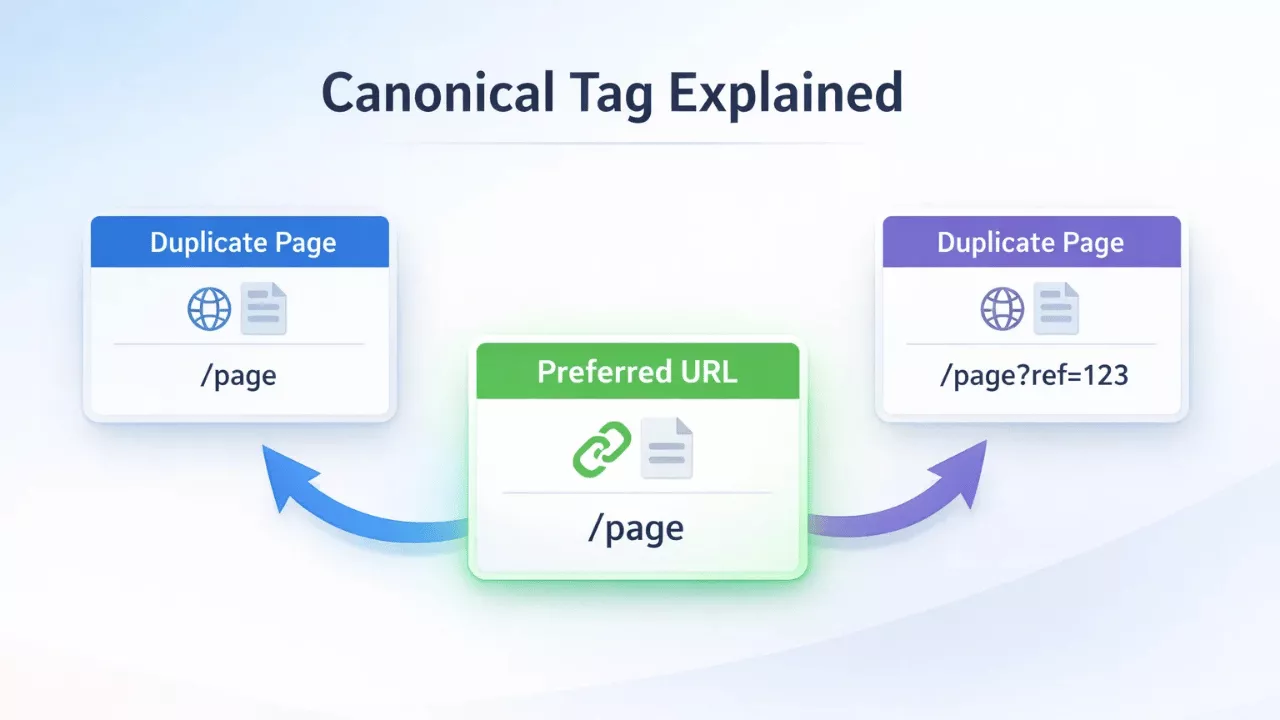
A canonical tag tells search engines which version of a page should be treated as the main one.
So, what is a canonical tag? It is a small piece of HTML placed in the head section of a page. It points to the preferred URL when similar or duplicate pages exist.
Canonical tag SEO helps manage duplicate content issues that appear when the same content is available under different URLs. This can happen with filters, tracking parameters, or multiple page versions.
Canonical tags help search engines focus on one clear URL instead of many similar ones. Without a canonical tag, search engines may split ranking signals across these versions. This makes it harder for one page to perform well.
If you want to understand how canonical tags fit into the bigger picture, you can also use a Canonical Tag Checker to verify that the correct version of your page is set. For a broader overview of how all SEO meta tags influence your results, read our Complete Guide to Meta Tags & SERP Optimization.
What Is a Canonical Tag?
A canonical tag definition refers to an HTML tag that tells search engines which URL should be treated as the main version of a page.
The rel canonical tag is placed in the page code to point to the preferred URL. This helps search engines avoid confusion when similar or duplicate pages exist.
The canonical URL's meaning is simple. It is the version of the page you want search engines to index and rank.
Canonical Tag Syntax (HTML Example)
The below canonical tag example uses a simple line of HTML placed inside the head section.
<link rel="canonical" href="https://example.com/page-url" />
This rel canonical HTML tag tells search engines that the given URL is the primary version, even if other similar URLs exist.
Where to Place Canonical Tag
The canonical tag in the head section should always be placed between the <head> and </head> tags.
The HTML head canonical tag works at the page level. Search engines read it during crawling before processing the main content.
Placing the tag outside the head section can lead to it being ignored.
How to Set Canonical Tags?
You can set a canonical tag by adding a rel="canonical" link in the page code or using an SEO plugin.
Most CMS platforms handle this automatically, while custom websites may require manual setup. Canonical tag implementation is simple once you know where to place it.
How to Set Canonical Tags in WordPress?
Canonical tag WordPress setups usually do not require manual coding. Most themes and SEO plugins add a self-referencing canonical tag by default. This means the page points to itself unless you change it. You only need to set canonical URL manually when dealing with duplicate or similar pages.
Using Rank Math SEO Plugin
Rank Math canonical tag settings are available inside the page editor.
-
Open the page or post in WordPress. Scroll to the Rank Math SEO settings panel. Go to the Advanced tab and find the Canonical URL field.
-
Add the preferred URL if the page is a duplicate or variant.
-
Leave this field empty if the page is the main version. Rank Math will handle the default setup.
Using Yoast SEO Plugin
Yoast canonical tag settings are also built into the editor.
-
Edit the page or post and scroll to the Yoast SEO panel. Open Advanced settings and locate the canonical URL field.
-
Add the preferred URL if needed.
-
Yoast automatically sets a self-referencing canonical tag. You only override it when pointing to another version.
How to Set Canonical Tags on a Custom Website?
Canonical tag HTML setup requires adding a line of code inside the head section.
You can add canonical tag manually using a rel canonical HTML example like this:
<link rel="canonical" href="https://example.com/page-url" />
Place this inside the <head> section of the page.
Make sure the URL matches the preferred version exactly. Small differences like trailing slashes or parameters can affect how search engines read it.
Why Canonical Tags Are Important for SEO?
Canonical tag importance comes from how they guide search engines to one clear version of a page.
Duplicate content SEO issues appear when the same or similar content exists on multiple URLs. Search engines may not know which version to rank. A canonical tag helps point to the preferred page.
Prevent Duplicate Content
Canonical tags prevent duplicate content by telling search engines which page should be treated as the main version. Duplicate pages can come from filters, tracking parameters, or URL variations. Without a canonical tag, each version may compete with the others. Setting a canonical helps keep indexing focused on one page.
Consolidate Link Equity
Canonical tags consolidate ranking signals into a single URL. Links pointing to different versions of the same page can split authority. A canonical tag brings those signals together so one page benefits from all of them. This makes rankings more stable over time.
Improve Crawl Efficiency
Canonical tags improve crawl efficiency by reducing unnecessary crawling of duplicate pages. Search engines spend less time on repeated content and more time on unique pages. This helps larger sites manage crawl budget more effectively.
How Canonical Tags Work (Simple Explanation)?
Canonical tags work by telling search engines which URL should be treated as the preferred version of a page.
When multiple pages have similar or identical content, Google chooses one preferred URL based on signals like the canonical tag. Other versions are treated as duplicates and may not appear in search results.
This helps reduce confusion between canonical vs duplicate pages and keeps ranking signals focused on one page.
Canonical Tag vs Duplicate Content
Canonical vs duplicate content means choosing one main page among similar pages. Duplicate pages SEO issues happen when the same content appears under different URLs. Search engines may split ranking signals or ignore some versions. A canonical tag points to the main version so search engines know which page to index.
Canonical Tag vs Redirect
Canonical vs 301 redirect depends on whether you want to keep multiple pages accessible. A canonical tag keeps all versions live but tells search engines which one to prioritize. Users can still visit any version. A 301 redirect sends users and search engines to a different URL. The original page is no longer accessible. Use a canonical tag when similar pages need to stay active. Use a redirect when one page should fully replace another.
Common Canonical Tag Examples
Canonical tag examples show how different URL versions point to one preferred page. These canonical URL examples help search engines choose a single version when multiple URLs serve similar content.
HTTP vs HTTPS Versions
HTTP and HTTPS versions can exist for the same page. The secure HTTPS version should be set as the canonical URL. This avoids splitting signals between secure and non-secure pages.
WWW vs Non-WWW
WWW and non-WWW versions create two versions of the same domain. Only one version should be set as canonical. The choice depends on site preference, but it must stay consistent across all pages.
URL Parameters (UTM, filters)
URL parameters like UTM tags or filters create multiple versions of the same page. These versions often show identical or very similar content. The canonical tag should point to the clean URL without parameters. This helps avoid duplicate indexing.
Pagination / Similar Pages
Pagination and similar pages can create closely related content across multiple URLs. Each page in a series may exist for navigation, but search engines still need a clear structure. In some cases, each page can have its own canonical. In others, pages may point to a main version, depending on content similarity. Choosing the correct setup depends on how much the content changes across pages.
Common Canonical Tag Mistakes
Canonical tag mistakes often come from incorrect setup or missing tags. The wrong canonical implementation can confuse search engines instead of helping them. Small errors can lead to indexing problems or lost ranking signals.
Missing Self-Referencing Canonical
A self-referencing canonical tag points a page to itself. When this is missing, search engines may choose a different version as the main page. This can happen on sites with URL variations or parameters. Adding a self-referencing tag keeps the preferred version clear.
Multiple Canonical Tags
Multiple canonical tags on the same page send mixed signals. Search engines may ignore all of them if more than one is present. This removes the benefit of having a canonical tag. Each page should have only one canonical tag.
Canonical to Wrong Page
A canonical tag pointing to the wrong page can remove the correct page from search results. This often happens during manual updates or template errors. Always check that the canonical URL matches the intended page.
Canonical Loops
Canonical loops happen when pages point to each other in a cycle. For example, Page A points to Page B, and Page B points back to Page A. Search engines may ignore both signals in this case. This breaks the purpose of canonical tags and creates confusion.
How to Check Canonical Tags Using Free Tools?
You can check canonical tag online using simple tools that show page metadata and canonical URLs.
A canonical tag checker tool helps confirm whether the correct URL is set as the preferred version. The process takes only a few steps.
Step 1: Extract Page Metadata
Start by collecting metadata from your pages.
Use a Bulk Meta Tag Extractor to pull canonical tags, titles, and descriptions from multiple URLs. This helps you spot missing or inconsistent canonical tags across pages.
Review the extracted data before making changes.
Step 2: Verify Canonical URL
Check whether each page points to the correct canonical URL.
Use a Canonical Tag Checker to test individual pages. This shows if the canonical tag is present and whether it matches the intended version.
Fix any incorrect or missing tags to avoid duplicate content issues. Regular checks help keep canonical signals clean and consistent.
When NOT to Use Canonical Tags?
Do not use canonical tags when pages are meant to be unique and should rank separately. Canonical misuse happens when the tag is applied without checking whether pages actually have duplicate content. This can hide important pages from search results.
When Pages Have Different Content
Avoid using canonical tags when pages serve different purposes. Pages with unique content, even if similar in topic, should have their own canonical pointing to themselves. Merging them can remove visibility for useful pages.
When You Want Both Pages Indexed
Do not use a canonical tag if both pages should appear in search results. A canonical tells search engines to focus on one version. The other page may be ignored or not indexed.
When Redirect Is the Better Option
Use a redirect instead of a canonical when a page is no longer needed. A canonical keeps both pages active. A redirect removes the old page and sends users to the new one. Choosing the wrong method can lead to indexing issues.
Canonical Tag Best Practices
Canonical tag best practices focus on clarity, consistency, and correct implementation. A simple SEO canonical checklist helps avoid common errors and keeps signals clean for search engines.
Always Use Self-Referencing Canonical
Use a self-referencing canonical tag on every indexable page. This tells search engines that the current page is the preferred version when no duplicates exist.
Use Absolute URLs
Use full URLs instead of relative paths in canonical tags. Absolute URLs include the protocol and domain, which removes ambiguity during crawling.
Keep Consistency
Keep canonical URLs consistent across the site. Mixing HTTP and HTTPS, or WWW and non-WWW versions, can create confusion. The canonical should always match the preferred site version.
Avoid Chains
Avoid canonical chains where one page points to another, which then points to a third page. Search engines may ignore long chains or stop following them. Each page should point directly to the final preferred URL.
Final Thoughts
A clear canonical tag SEO summary starts with choosing one preferred URL for each page. A simple canonical optimization checklist includes self-referencing tags, correct URLs, and consistent setup across the site. These small checks help avoid duplicate content issues and keep indexing stable. Canonical tags do not need constant changes. They need correct placement and regular review. Over time, clean canonical signals make it easier for search engines to understand your site structure. Use our free tools to verify your canonical tags instantly.
Frequently Asked Questions
Canonical tags help manage duplicate content but do not remove it. Search engines may still choose a different canonical if signals conflict.
No, a canonical tag suggests the preferred page, while a 301 redirect permanently sends users and search engines to a different URL.
No, you should only use one canonical tag per page. Multiple canonical tags can confuse search engines and lead to incorrect indexing.
Yes, canonical tags consolidate ranking signals like PageRank to the preferred URL, but they are treated as hints, not strict directives.
Yes, they are recommended. A self-referencing canonical confirms the preferred version of the page and prevents ambiguity.
Yes, absolute URLs are preferred. They reduce the risk of misinterpretation by search engines and ensure consistency across environments.
Google may ignore it if signals conflict, such as internal links, sitemaps, redirects, or if the content differs significantly between pages.
Yes, canonical tags are hints, while 301 redirects are directives. Redirects are stronger and ensure both users and search engines go to one URL.