Why does Search Console say soft 404 when the page works fine?
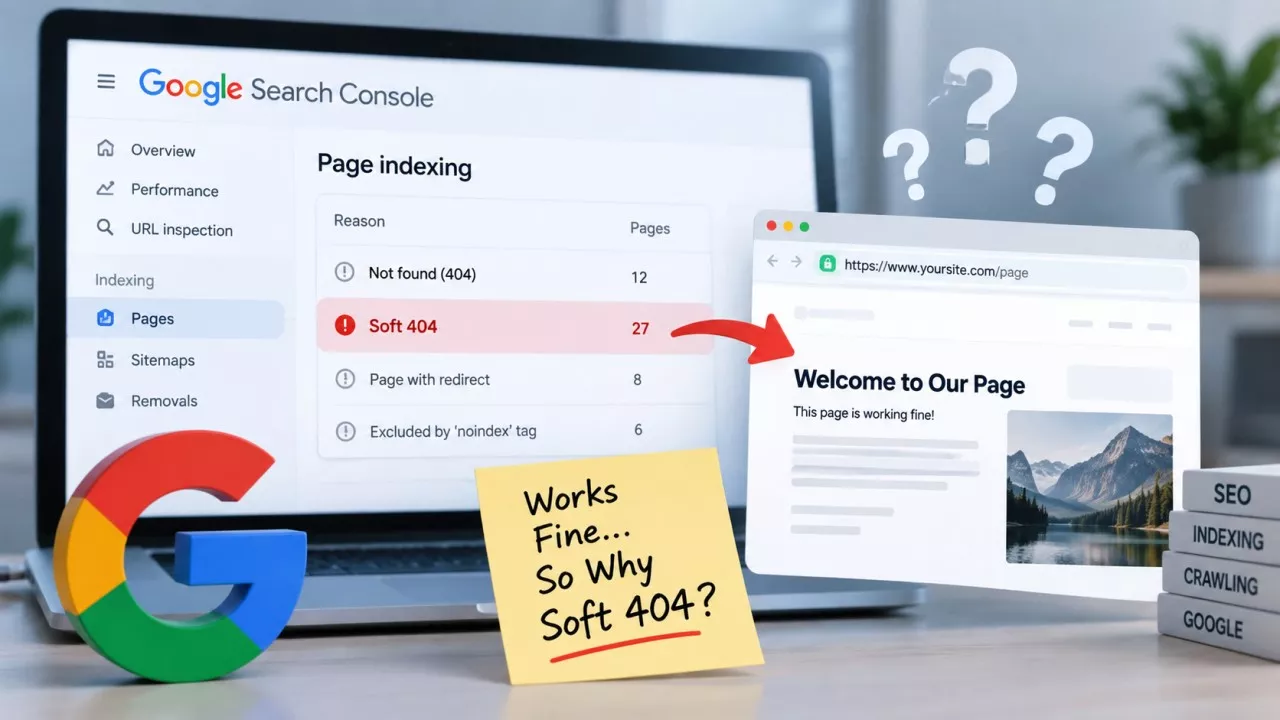
Search Console says soft 404 when a URL returns a 200 status code but Google decides the page it rendered is really an error page, or close to empty. Your browser shows the page working. Google saw something thinner, and dropped the URL out of the index.
That gap between what you see and what Google saw is what makes this one miserable to debug. You click the URL. It loads, the content is right there, and Search Console still files it under pages that are not indexed. Nothing is visibly broken, which is why people end up resubmitting the same URL for weeks and getting the same answer back.
What is a soft 404 in Google Search Console?
A soft 404 is a URL that answers with a success code while its content says nothing is there. Google’s crawling error documentation defines it as a URL that returns a page telling the user the page does not exist and also returns a 200 status. The header and the content disagree, and Google goes with the content.
Where this sits in the report matters more than most people realise. Soft 404 appears in the Page Indexing report under the reasons a page is not indexed, in the same list as 404, 403 and noindex. It is not a warning attached to a page that is otherwise fine. The URL is out.
Why does Search Console flag a page that loads fine in your browser?
Google judges the page it rendered, not the page you loaded. Googlebot fetches your HTML, runs the rendering step, and reads whatever is still standing at the end of it. If that comes out blank or nearly blank where the main content should be, the soft 404 verdict follows, no matter how good the page looks on your screen.
Google’s own guidance is blunt about the mechanism: a page can render blank or nearly blank because it references resources that could not be loaded. A script that timed out for the crawler and not for you. An API response your logged-in session receives and an anonymous crawler never does. Same URL, same server, completely different page.
What actually causes soft 404s on a small site?
There are 5 causes behind almost every soft 404 on a site with a few hundred pages, and Google names the first four of them in that same documentation.
- An empty internal search page - Someone linked a search results URL, Google crawled it, and the query came back with nothing. The page serves a polite “no results” message at a 200.
- A missing include file - The template loads but the block holding the article never renders, so the crawler gets a header, a footer and a gap between them.
- A broken database connection - Intermittent, so it looks perfect every time you check, and Googlebot happens to arrive during the minute it is down.
- A script that never loaded - The main content arrives by JavaScript, the file times out or 404s for the crawler, and the rendered page is an empty shell.
- An empty tag or category archive - WordPress will happily serve a tag page with zero posts on it at a 200. To Google, that is a page announcing it has nothing.
Notice what is not on that list: a page with real content that Google simply disliked. That is far rarer than the forum answers suggest. Start from the assumption that Googlebot genuinely received an empty page, because it usually did.
Does redirecting a deleted page to your homepage count as a soft 404?
Yes, and it is the most common self-inflicted version of this problem. A redirect that lands somewhere unrelated gets read as a soft 404 rather than as a genuine move, so pointing every removed URL at your homepage preserves nothing at all. According to Google’s John Mueller, reported by Search Engine Roundtable, dead pages redirected to the home page get treated as soft 404s anyway.
Redirect when there is a real one-to-one replacement. The old post became this new post; the discontinued product became that one. Where no replacement exists, a plain 404 is the honest answer, and it costs you nothing.
If you have inherited a site and have no idea where its old URLs end up, the Redirect Checker lists each hop and the final destination for a single URL, which is normally enough to expose a blanket rule quietly sending everything home.
Should you return 404 or 410 for a page you deleted?
Either one. The advice you will read everywhere is that 410 gets a URL dropped faster than 404 does, and Google’s HTTP status code documentation says something different: every 4xx response except 429 is handled the same way, with the crawler passing on that the content does not exist.
So use whichever your platform gives you without a fight. If your CMS makes 410 a one-line change, take it, because it is a slightly clearer record of your own intent a year later. If it does not, a 404 is not costing you anything.
How do you check what a URL really returns?
Open the URL Inspection tool in Search Console and look at the crawled page rather than the live test. The rendered HTML shown there is what Google actually received, and it is the only view that settles an argument between your browser and the report.
For a list of URLs at once, the Bulk HTTP Status Code Checker returns the status each one answers with, which is how you find deleted pages that are quietly still serving 200 instead of the 404 you assumed they were.
One trap while testing: use a private window, logged out. A surprising share of “but the page works fine” reports come from an admin session that is being shown content anonymous visitors never see.
How do you fix a soft 404 on a page you want to keep?
Get the real content into what Google receives, then ask for revalidation. In order:
- Confirm what Googlebot rendered - URL Inspection, crawled page, rendered HTML. If the article body is missing from that, you have found your answer.
- Fix the resource that failed - the broken script, the dead API call, the include that stopped being pulled in.
- Serve the main content in the HTML - text that only appears after JavaScript runs is always one timeout away from vanishing again.
- Use Validate Fix - on the soft 404 row in the Page Indexing report, once the page genuinely renders.
What you should not do is pad the page. Bolting three paragraphs of filler onto a thin page to clear the check leaves you with a page that is no longer empty and still not worth indexing, and it tends to reappear under a different status instead. That is a change of error message, not a fix.
For pages that are supposed to be empty, noindex beats arguing. Empty tag archives, filtered listings and internal search URLs all belong out of the index by design, and the Bulk Meta Robots Tag Checker reads the robots meta tag across a list of URLs so you can confirm the directive is really being served rather than assuming your plugin set it.
Google does not publish how empty is too empty. There is no word count that flips the switch and no documented threshold, so anyone quoting you a number for it has invented it. Judge it the way the documentation describes Google judging it: does the main content, as rendered, tell a visitor there is nothing here?
Can you ignore a soft 404?
Often, yes, and working out which ones is most of the job. A soft 404 on a URL you never wanted indexed, such as a filtered listing or an old search query somebody linked to, is Google correctly ignoring something that deserves ignoring. Leave it alone, or noindex it, and go and do something useful.
The ones that need you are the URLs you would be upset to lose: a product page, a service page, an article that used to bring traffic. Sort the report by that question before you touch anything. A small site rarely has more than a handful in the second group, and fixing those usually kills the pattern behind the rest.
Final Thoughts
A soft 404 is not Google being fussy about your writing. It is Google reporting that the page it received said nothing was there, and that is a factual claim you can check in about two minutes. Most of the time the report is right and the page really was empty for the crawler. Look at what Googlebot rendered before you change a single word of the copy.
Frequently Asked Questions
Only if it returns a 200 status. A designed “page not found” screen is fine and encouraged, provided the server sends 404 with it. Soft 404 describes the mismatch between a success code and error content, not the design of the page itself.
Something changed in what the crawler receives. A plugin update moved the content behind JavaScript, a script started failing, a product went out of stock and emptied the template, or the archive it belongs to lost its last post. Compare the rendered HTML in URL Inspection against what your browser shows.
There is no penalty applied to the rest of your site. The cost is attention: crawlers spending requests on URLs that turn out to be empty are not spending them on your real pages. On a site of a few hundred URLs that cost is small, so fix the important pages first.
Google publishes no timescale, and any specific number you are given is a guess. Recrawl frequency depends largely on how often that URL was crawled before. Use Validate Fix in the Page Indexing report, and request indexing individually for the few pages you genuinely cannot wait on.