Google Word Coach: The Complete Guide to Building Your Vocabulary
You open Duolingo. It asks you to log in. Then it reminds you that your streak is at risk. Then it nudges you toward a premium plan. By the time you get to an actual lesson, you have already lost the will to learn anything.
Now imagine this instead. You search for the meaning of a word on Google. Right there, below the dictionary box, a small quiz card appears. Five questions. Two options each. No account. No download. No streak to protect.
That is Google Word Coach, and most people scroll right past it.
This guide covers everything you need to know: what it is, how to play it, who it is actually useful for, and how to build a real vocabulary habit around it. If you have been looking for a low-effort, high-return way to improve your English, read this first.
What Is Google Word Coach?
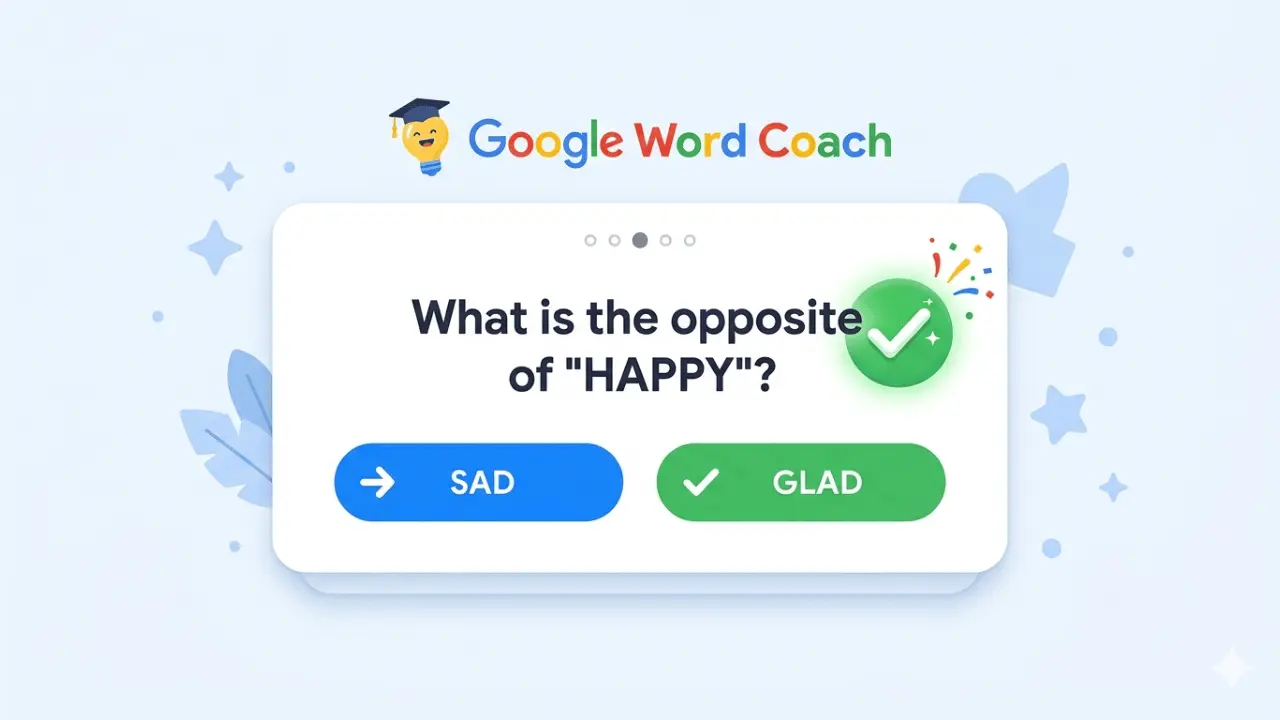
 Google Word Coach is an interactive vocabulary-building tool launched by Google in February 2018. Designed to enhance users' English language skills, it presents a series of quizzes and word games that make learning new words educational and accessible.
It is not accessible in English-speaking countries like the USA, where English is the primary language, but is available in non-English-speaking nations such as India. This strategic availability aims to assist users in regions where English is not the mother tongue and where individuals may be more likely to seek word meanings and synonyms.
At the time of the February 2018 launch, a Google spokesperson described the feature this way: "Google Word Coach is a game designed to help expand English-language vocabulary in a fun and engaging way. It appears under our dictionary and translate boxes, or when someone searches for 'Google Word Coach.' It launched this month in non-English speaking countries and also in India. It may come to other countries and languages in the future."
That last line is worth pausing on. The "future" Google hinted at in 2018 has already arrived. Initially introduced only in English, Google Word Coach now has over 140 language options. What started as a tool for Indian and non-English speaking users has quietly grown into one of the most accessible vocabulary resources on the internet.
It costs nothing. It requires no installation. It is already inside a product that billions of people use every single day.
How to Access Google Word Coach?
Google Word Coach is a free English tool you can use in seconds, without signing up. There are two ways to find it.
Search for It Directly
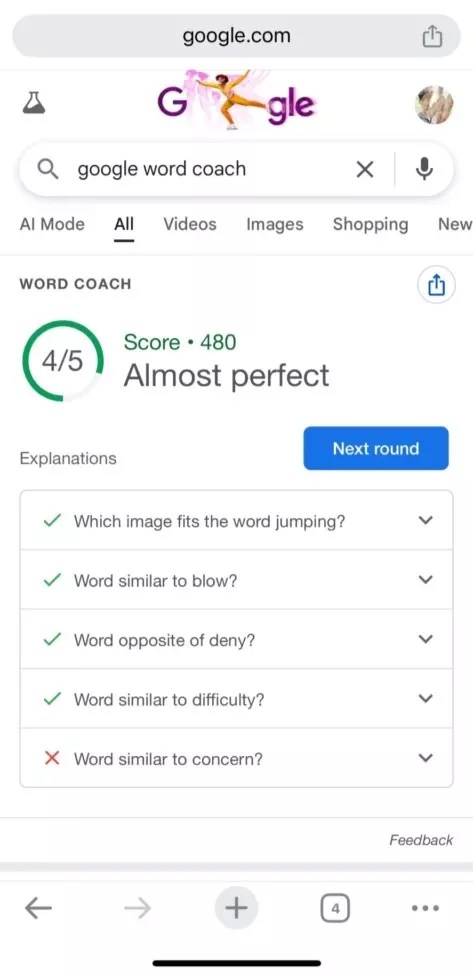
Type "Google Word Coach" or "word coach" directly into the Google app or Chrome browser on your phone. The quiz card will appear at the top of the search results. Click it, and you are in.
Let It Find You
Search for the meaning of any English word on Google. The Word Coach game will appear below the dictionary or translation boxes in the search results. This is how most people discover it for the first time, mid-search, while looking up something else entirely.
A Note on Device and Availability
Google Word Coach is built mainly for mobile. It may appear sometimes on a desktop, but the best experience is on phones.
Availability can vary, especially in non-English-speaking countries. You might see it on Android and not on iOS for a certain query, or see it on desktop one day and not the next. Location, language settings, and supported languages can also change what appears in search results.
One more thing worth knowing: there is no separate app available in the Play Store or App Store, but you do not need one.
Google Word Coach cannot be played offline. It works inside Google Search and needs an active internet connection to load questions, check answers, and show results.
How Google Word Coach Works?
 The format is simple enough to understand in under a minute, but there is more going on under the surface than most people realize.
The Three Question Types
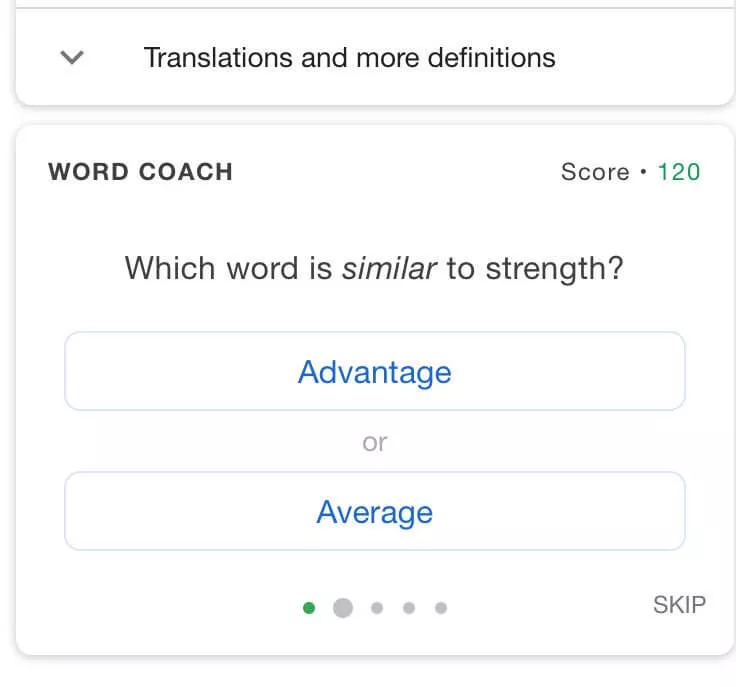
In Google Word Coach, you encounter three main types of questions. Synonyms: identify words that have similar meanings. Antonyms: select the word that is opposite in meaning. Image Recognition: view an image and choose the correct word that corresponds to it.
The image questions tend to be the most approachable, especially for beginners. Synonym and antonym questions get progressively harder as you advance through rounds.
How a Round Plays Out
A typical Google Word Coach game unfolds in several rounds, each featuring five questions. Each question presents two answer options, which can be words, word meanings, or images. The questions cover opposites, similarities, definitions, and visual identification, with the difficulty varying based on your starting point.
If uncertain, you have the option to skip a question.
Keep in mind that skipping a question will not earn you any points, so it is advisable to attempt answering whenever possible.
As you move forward in the game, the difficulty level increases. The questions that felt manageable in round one will not look the same by round five.
How the Scoring Works
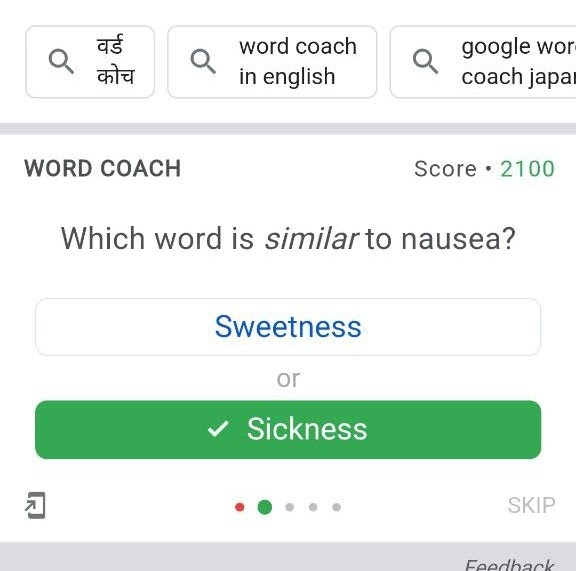
Each right answer earns around 200 points, subject to algorithmic adjustments based on your level or search history. A question related to a previously searched word may yield a +500 bonus for a correct response. Notably, there are no negative points for incorrect answers.
This is a deliberate design choice. No penalty for being wrong means there is no reason to skip a word you are unsure about. Guess, get it wrong, read the explanation. That is the intended loop.
Google Word Coach does not have an official leaderboard, so Google does not confirm who has the highest score. Most high scores shared online are based on screenshots posted by users. For what it is worth, according to the latest available information, Xian Chad Carino from the Philippines currently has the highest reported score of 3,752,550 points, achieved in September 2025.
Who Should Use Google Word Coach?
Google built this for non-English speakers, but the actual user base is wider than that. Here are four groups who will get genuine value from it.
Students Preparing for Competitive Exams
IELTS, GRE, SSC, UPSC: all of these exams test English vocabulary in context. Word Coach will not replace a structured study plan, but it makes for an excellent daily warm-up. It works as extra practice, building vocabulary and context skills that support exam performance. The key is to combine it with regular study materials. Ten minutes before you open your textbook is a smart habit.
Working Professionals Who Want Sharper English
Emails, presentations, client calls. The words you choose shape how you are perceived. Google Word Coach can boost your confidence and improve your communication skills, as speaking in English is a vital social skill that can also improve one's morale. For someone who uses English daily but wants to move beyond their existing word bank, this is the lowest-friction starting point available.
ESL Learners and Regional Language Speakers
This is the original audience, and the tool is still best suited to them. Keep in mind that the vocabulary words still appear in English, so you can build your English vocabulary while contextualizing it in your local dialect. For users across India and Southeast Asia, where English is the language of professional advancement, this matters.
Anyone Who Enjoys Word Games
Word Coach can be enjoyable for those who love word games and puzzles. It provides an engaging way to challenge and stimulate the mind. If you play Wordle daily or enjoy a crossword, Google Word Coach fits exactly that personality and teaches you something in the process.
How to Actually Get Better Using Google Word Coach?
Using the tool casually and using it effectively are two different things. Here is how to make it count.
Play One Round a Day, Not Ten in a Row
Vocabulary is retained through spaced repetition, not volume. By spending only a few minutes each day, you can slowly improve your vocabulary. One round daily, consistently, will outperform a binge session every Sunday. The game takes under three minutes. There is no reasonable excuse to skip it.
Pay Attention to the Wrong Answers
This is where most users leave value on the table. Even if you make mistakes, Google explains the right answer, so you can learn from it.
Pay attention to the explanations provided for incorrect answers to understand nuances and avoid repeating mistakes. Most people click past this explanation immediately. Do not. That ten-second pause is the actual lesson.
Write Down One New Word Per Session
Google Word Coach does not save progress, scores, or history. That means the responsibility for retention sits entirely with you. A simple habit: open your notes app after each round and write down one word you did not know before. One word a day is thirty words a month, three hundred and sixty-five in a year. That is not a small number.
Pair It With Real Usage
Learning a word in a quiz is the first step, not the last. The word only sticks when you use it. Write it in an email. Drop it into a conversation. Type it into a sentence in your notes. There is a meaningful gap between recognizing a word and owning it. Deliberate usage is what closes that gap.
What Google Word Coach Cannot Do?
Being honest about this will save you frustration and help you use the tool correctly.
Google Word Coach focuses only on words. It does not teach grammar, pronunciation, sentence structure, or speaking. If those are your goals, you will need additional resources alongside it.
The game also lacks customization options, such as the ability to adjust difficulty levels or select specific categories or topics for quizzes. This can make the game less engaging for users who prefer more personalized learning experiences. Users may want to focus on specific subjects like Maths, Science, History, or Geography, but the game does not offer this level of customization.
There is no progress dashboard. It does not show scores, progress, or history. Learning happens through regular use. For people who are motivated by streaks, charts, and milestones, this will feel like a gap.
Word Coach quiz can be a helpful supplementary tool for improving your vocabulary and language skills, which can benefit you in language proficiency exams. However, it is not a replacement for comprehensive exam preparation materials.
None of these limitations makes it a bad tool. They make it a specific tool. Know what it is for, and use it accordingly.
Google Word Coach vs. Other Vocabulary Tools
It helps to know where Google Word Coach sits in the landscape before you decide how to use it.
Duolingo offers structured courses, gamified streaks, and a full learning progression. It is more comprehensive, but it demands more: an account, a download, a daily commitment. For someone who just wants a vocabulary boost without the overhead, it can feel like too much.
Merriam-Webster gives you deep definitions and etymology. It is excellent as a reference but entirely passive. You look up a word. You move on. There is no mechanism to test or reinforce what you just read.
Vocabulary.com uses adaptive learning to identify your weak spots and drill them specifically. It has genuine depth. It also has a paywall for full access.
Google Word Coach asks for none of what the others require. It is a free, gamified vocabulary tool that shows up in Google search results. You can access it directly in search results, so there is no app download. You play quick multiple-choice quizzes to build word knowledge.
The verdict is not that Word Coach is better. The verdict is that it is frictionless. And for most people, friction is the reason they never build the habit at all.
Frequently Asked Questions
Yes, completely. You do not need to pay anything. It is 100% free for all users. No subscription, no premium tier, no hidden cost.
There is no official app for the Google Word Coach game. It runs entirely inside Google Search. You do not need an app; just open your browser and search.
It shows only for vocabulary-related searches and mainly on mobile. Availability also depends on region, language, and Google updates. Try searching "Google Word Coach" directly rather than waiting for it to appear below a search result.
No. Word Coach does not provide a feature to review your previous quiz results. The focus is on continuous learning and improvement rather than dwelling on past performances. Keep your own record if tracking matters to you.
It works best on phones and may not appear reliably on desktops. It is not impossible on a desktop, but do not count on a consistent experience.
It helps, but it is not enough on its own. It can be a helpful supplementary tool for improving vocabulary and language skills, which can benefit you in language proficiency exams. However, it is not a replacement for comprehensive exam preparation materials.
Google does not confirm official high scores. According to the latest available information, Xian Chad Carino from the Philippines currently has the highest reported score of 3,752,550 points, achieved in September 2025.