Why does Google show a globe instead of your favicon?
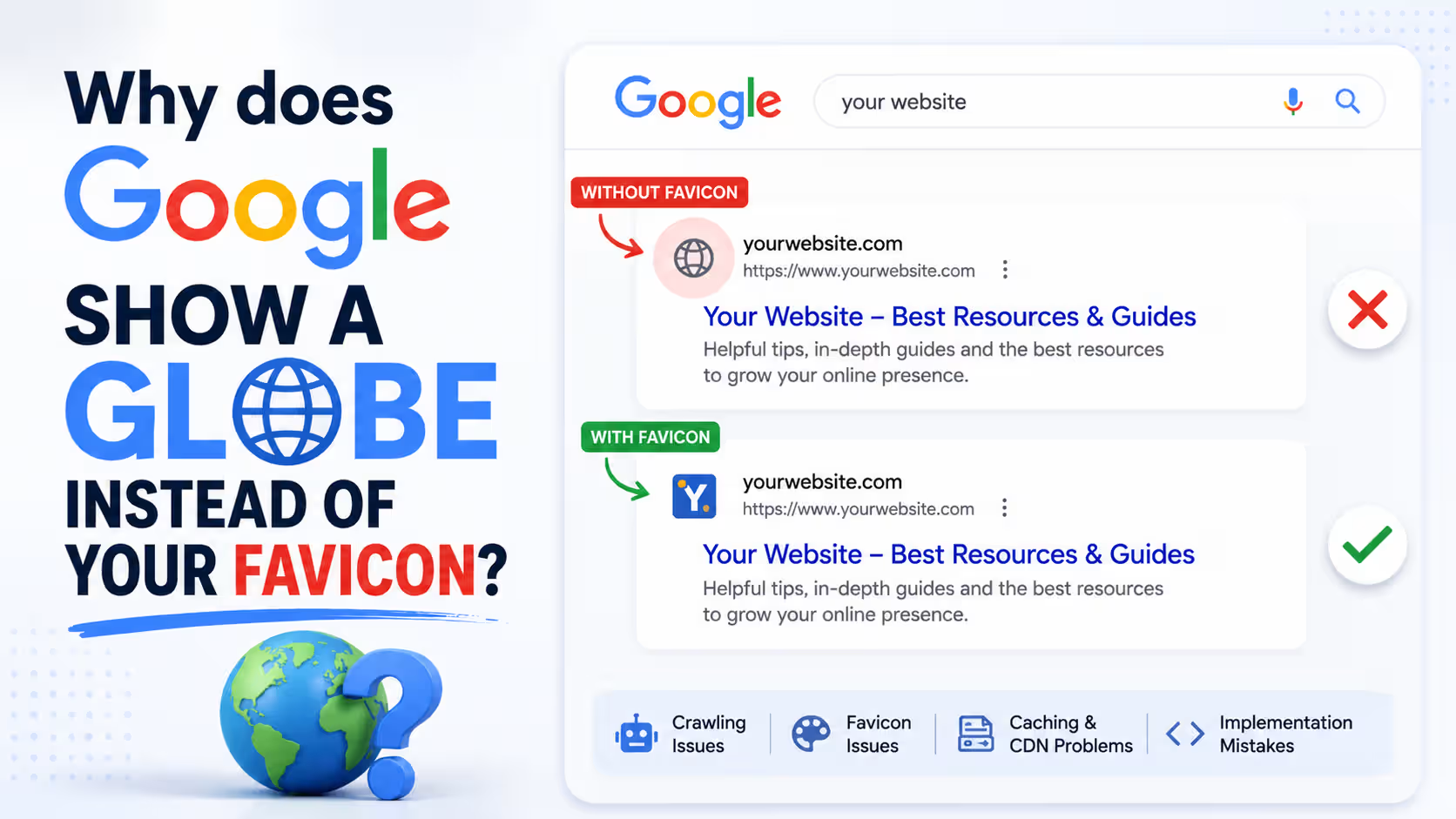
Google shows a globe instead of your favicon when it can’t find a usable icon on your home page. Your browser and Google find favicons in different ways, so an icon that appears in the tab can still be missing from search results. Five checks cover almost every case.
The gap between the tab and the search result is what makes this so maddening. You look at your own site, the icon sits right there, and Google keeps handing everyone else a grey circle. Search Console says nothing at all. There is no favicon report and no warning, so most people assume Google is being slow and wait another month.
Why does your favicon show in the browser tab but not in Google search results?
Browsers and Google look for favicons in different places, so passing one test tells you nothing about the other.
Chrome, Firefox and Safari will ask your server for /favicon.ico on their own when a page declares no icon at all. That fallback is decades old, silent and reliable. Google documents exactly one method instead: a <link> tag in the head of your home page. Whether Google also falls back to the root file is not stated anywhere in its documentation, and anyone giving you a confident answer on that is guessing.
So declare the tag. One line, and the question goes away.
What does Google actually require for a favicon?
Google publishes 6 requirements, and the real list is shorter than most of the advice written about it.
- A link tag on your home page - Google reads rel="icon", rel="shortcut icon", apple-touch-icon and apple-touch-icon-precomposed.
- A square image - A 1:1 aspect ratio, at least 8x8 pixels.
- Any valid favicon format - ICO, PNG and SVG all qualify.
- A crawlable file - Googlebot-Image has to fetch the icon and Googlebot has to fetch the home page.
- A stable URL - Google asks you not to change the favicon path often.
- An appropriate image - Anything Google judges offensive gets swapped for a default icon.
A caveat sits on that same documentation page and is worth reading twice: a favicon is not guaranteed to appear in search results even when every guideline is met. It is an eligibility list, not a contract.
Does a favicon have to be 48x48 or a multiple of 48?
No. Google’s documented minimum is 8x8 pixels, and anything larger than 48x48 is a recommendation rather than a requirement.
The multiple-of-48 rule gets repeated constantly, including in SEO writing that is careful about everything else, and it does not match what the documentation says today. Square is the part that actually bites. A 50x50 PNG is fine on the numbers; a 50x40 one is not, and Google will either distort it or drop it.
Ship 96x96 or 144x144 anyway. Not because a rule demands it, but because a 16-pixel icon stretched onto a phone result looks like a smudge, and being recognisable at a glance is the entire job. The practical value of knowing the real minimum is this: if your icon is square and comfortably above 48 pixels, size is not your problem and you can stop rebuilding the file.
Why does Google only read the favicon from your home page?
Google supports one favicon per hostname, and it takes that icon from the home page of the hostname.
Three things follow from that, and each one traps somebody every day.
- Subdomains are separate sites - www.example.com and shop.example.com get their own favicons, and each needs its own tag.
- Subdirectories are not - example.com/news cannot have a favicon of its own. It inherits whatever example.com declares.
- Template edits miss the target - Adding an icon tag to your blog layout changes nothing in search if the home page runs on a different template.
That subdirectory rule catches project sites hardest. If your site lives at username.github.io/project, the favicon Google shows comes from the root of username.github.io, and there is nothing you can put inside your project to override it.
Can robots.txt stop Google from showing your favicon?
Yes. Googlebot-Image needs to fetch your favicon file, so a disallow rule covering the folder where the icon lives can stop Google from accessing it.
This problem is easy to miss. The favicon loads normally in your browser, the file returns 200, and the <link> tag looks correct in your source code. Yet Google still shows a globe. A rule such as Disallow: /assets/ can be enough to block the icon without anyone realizing it.
Open your robots.txt and check the favicon's path against every disallow rule, including rules specifically targeting Googlebot-Image. If you need to adjust the file, our Robots.txt Generator can help you create the right rules without accidentally blocking other resources.
Why did your favicon disappear after a redesign?
A redesign can make your favicon disappear simply because its URL changed. Build tools often generate fingerprinted filenames such as favicon.8c1a9f.png, and that filename may change again with the next deployment. Your website still works, but Google may have discovered the favicon at an older URL that no longer exists.
Another common issue is an old theme favicon. Your previous theme may have left an icon at its original path while the redesigned site points to a different file, allowing Google to keep showing the older favicon.
Start by checking whether your current favicon URL returns a successful response instead of a 404. Our Bulk HTTP Status Checker can make that check easier across multiple URLs. Once the correct favicon is available at a stable URL, Google can update it after recrawling your site.
What happens when a page declares more than one icon?
Google picks one of them, and a non-conforming declaration can win over the good one.
WordPress installs collect these quietly. The theme adds a tag, a plugin adds another, the Site Icon setting adds a third, and a caching layer serves a fourth left over from an old build. Four declarations, one of them pointing at a file that no longer exists. Google has no particular reason to prefer the one you meant.
Cut it back to what you need: one rel="icon" pointing at a square PNG, plus one apple-touch-icon if you want a decent bookmark icon on iOS. Delete the rest.
The sizes attribute is worth a second look while you are in there. It is a claim, not a measurement. A tag can announce sizes="96x96" while pointing at a 32-pixel file, and nothing in your browser, your CMS, or Search Console will ever mention the mismatch.
How long does Google take to pick up a new favicon?
Anywhere from several days to several weeks, because a favicon only updates when Google recrawls your home page.
That last clause is the part people miss. If a blog post is the result showing a globe, inspecting that blog post in Search Console and requesting indexing achieves precisely nothing, because the favicon was never read from it. Inspect the home page instead. Request indexing there.
Then you wait, and waiting is genuinely the only tool you have. Google offers no way to force a favicon refresh and no report to watch it in. When the underlying fix is correct, the icon tends to come back on the next crawl of the home page rather than on some separate schedule of its own.
How do you check what your site is actually declaring?
Fetch your home page, list every icon tag it contains, and confirm each of those files loads.
By hand, that means reading view-source and searching for four different rel values, which is exactly the sort of job people skip. Our Favicon Tester reads the live HTML of a URL and lists every icon it declares, Apple touch icons and manifest links included, with the declared type, size and URL, plus a preview of each file so a broken one is obvious on sight. If your host sits behind a bot challenge, paste the page source in and it parses that instead.
Work through it in this order:
- Run the home page - Not the page where you first saw the globe.
- Count the declarations - More than two or three means a cleanup job.
- Look at the previews - A preview that fails to render is a URL that does not resolve.
- Check the shape - Square, and comfortably over 48 pixels.
- Match it against robots.txt - Then request indexing on the home page and leave it alone.
Final Thoughts
A grey globe is not a ranking problem and it will not cost you measurable traffic. What it costs is recognition, in a results page full of competitors whose icons are showing, and that matters more the further down the page you happen to sit.
Nearly every case reduces to the same four faults: the tag is missing from the home page, the image is not square, the crawler cannot reach the file, or the URL keeps moving. Run our Favicon Tester against your home page and you will usually know which one inside a minute.
Frequently Asked Questions
No. Google reads the href on your icon tag, and that value can be a relative path, an absolute URL, or a file hosted on a CDN somewhere else entirely. The root filename is only a browser fallback convention, not a Google requirement.
No, and nobody credible claims otherwise. A favicon is a display feature in the results page, not a ranking signal. What it can move is your click-through rate, because a recognisable icon next to your site name reads as an established brand rather than an unknown link.
No. There is no favicon report, no warning and no error anywhere in Search Console, which is why these problems go unnoticed for months. The only signal you get is the globe itself, so you have to test the home page markup yourself.
Google states that any valid favicon format is supported, so an SVG qualifies. Browser handling of SVG icons is still uneven though, so declare a square PNG as your rel="icon" and treat the SVG as an extra rather than your only icon.